Structure
whole region
toMatchAriaSnapshotLocks down the structure of a region (forms, navigation, dialogs, etc.) without coupling to visual design.
Use accessibility-aware matchers to lock down structure and catch a11y regressions with clear failure messages.
You already locate elements by ARIA roles (getByRole('button', { name: 'Add to cart' })). That's a great first step, but Playwright also provides accessibility-first assertions.
toMatchAriaSnapshot locks down the structure of an entire region in one assertion.toMatchAriaSnapshotFor a region of the page, toMatchAriaSnapshot captures the entire accessibility tree in a YAML-like format. It's the closest thing Playwright offers to a "structure regression test". It doesn't break on CSS tweaks, but it does fail when meaningful structure changes (a heading disappears, an element is renamed, the order shifts).
await expect(page).toMatchAriaSnapshot(`
  - heading /Playwright enables reliable end-to-end/ [level=1]
  - link "Get started":
    - /url: /docs/intro
  - link "Star microsoft/playwright on GitHub":
    - /url: https://github.com/microsoft/playwright
  - link /[\\d]+k\\+ stargazers on GitHub/
`);
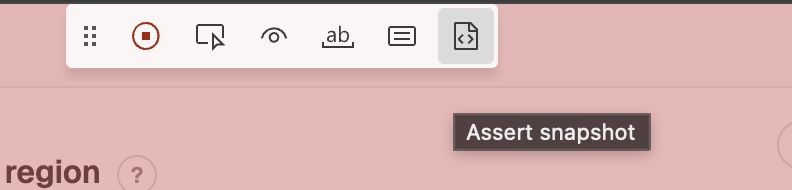
Snapshots can be strict (exact text) or flexible. The quickest way to create them is codegen.
The next exercise is about picking the right level of strictness for each item.
Write the snapshot for this regionSelect this container via test id: aria-snapshot-exercise
The region below has four pieces of structure: a heading, a paragraph,
and two buttons. Write a toMatchAriaSnapshot that locks down the
parts you actually care about:
Submit and Undo).One email a week with the most useful Playwright tips. No spam, ever.
Literal strings stay strict. Omit other properties to be flexible or use /.+/ as a regex placeholder when you want to lock down structure
but ignore exact text.
await expect(
  page.getByRole("region", { name: "Newsletter form" }),
).toMatchAriaSnapshot(`
  - heading [level=2]
  - paragraph
  - button "Submit"
  - button "Undo"
`);
The buttons are the part you care about. Rename one and a real user flow breaks. The heading and paragraph are content the marketing team will edit weekly, so locking down their exact text would just generate noise.
Now, sometimes you don't want to maintain these long YAML definitions or even think about them.
For these cases, call
toMatchAriaSnapshot()
without an inline string and Playwright stores the expected accessibility tree in a
.aria.yml file next to the test.
await expect(container.getByLabel("Newsletter form")).toMatchAriaSnapshot();
If you now run npx playwright test with the --update-snapshots flag, Playwright writes and
updates the YAML snapshots for you.
$ npx playwright test tests/inline.spec.ts --update-snapshots

Running 1 tests using 1 workers
[chromium] › tests/inline.spec.ts:3:5 › aria-snapshot
A snapshot is generated at tests/inline.spec.ts-snapshots/aria-snapshot-1.aria.yml.
  1 passed (6.8s)
To check one element at a time, there are four matchers.
toHaveRoleARIA role exposed to assistive techtoHaveAccessibleNamewhat a screen reader announcestoHaveAccessibleDescriptionoften from aria-describedbytoHaveAccessibleErrorMessageoften from aria-errormessageIf your locator already encodes the accessible name (e.g. getByRole("button", { name: "Close" })),
asserting toHaveAccessibleName("Close") on it adds nothing. The locator wouldn't match without that name in the
first place.
Use these matchers when you want a focused a11y check. Don't duplicate what your functional locators already cover.
toHaveAccessibleDescription is the most useful of the four. You almost never locate by description, so asserting the helper text connected via aria-describedby tests something the locator didn't already check.
await expect(
  page.getByRole("textbox", { name: "Email" }),
).toHaveAccessibleDescription("We'll never share your email.");
Assert the description a screen reader announcesSelect this container via test id: accessible-description-exercise
Click Validate without typing anything. The error message is
connected to the input via the aria-describedby attribute so that a screen
reader can announce it.
Write an assertion that confirms the input's accessible description is
Please enter your email address. after clicking the "Validate" button.
The locator checks the label (Email address), and the assertion checks
the description. They're two different pieces of accessibility information.
const container = page.getByTestId('accessible-description-exercise');
await container.getByRole('button', { name: 'Validate' }).click();
await expect(
  container.getByLabel('Email address')
).toHaveAccessibleDescription('Please enter your email address.');
One of the strongest arguments for toHaveAccessibleName and toHaveRole is how your tests fail when a11y regresses.
Imagine an icon-only × close button.
<button aria-label="Close">×</button>
Your functional tests use page.getByRole("button", { name: "Close" }).click() to dismiss a dialog. Someone deletes the aria-label in a refactor. The button still looks and works the same, but its accessible name changes from "Close" to "×", which might be read out loud as "multiplication sign".
Every functional test that relies on the role + name locator combination times out with a generic element not found error and you have to dig to figure out what went missing. A single dedicated a11y test, located by something stable (a test id or a positional locator) and asserting toHaveAccessibleName, fails in one line with the exact diff:
await expect(page.getByTestId("close-btn")).toHaveAccessibleName("Close");

// Error shown if the accessible name doesn't match
Expected: "Close";
Received: "×";
It's the same problem, but it comes with a better error message.
Don't use toHaveAccessibleName() to duplicate what's already in your locator definition. Use it as an additional guard.
Honestly, I primarily use user-first locators paired with an occasional toMatchAriaSnapshot. The other assertions have their place when accessibility plays a big role in your product.
toMatchAriaSnapshotLocks down the structure of a region (forms, navigation, dialogs, etc.) without coupling to visual design.
toHaveAccessibleDescriptionChecks helper text or error messages tied via aria-describedby. Genuinely complementary to role-based locators.
toHaveAccessibleName / toHaveRoleFocused a11y regression tests on stable locators (test ids, positional). Fail with a clear diff when a name silently regresses.
Lock down the search page sidebars
/search/. The page exposes two labelled navs: "Collections" and
"Sort by".main element and use toMatchAriaSnapshot to assert that the element includes the Collections and Sort by navigation and the product list (the individual products don't matter).On mobile, these two navigations are select boxes. If you want to skip the test on mobile, go ahead...
if (isMobile) test.skip();
But maybe you want to figure it out!
Check the main nav
And while we're at it... Let's take an ARIA snapshot of the main navigation, too!